
Your digital product was never the problem. Your traffic is.
Here's the 30-day Pinterest plan I'd follow if I were starting from scratch today, day by day, in about four hours a month.
Someone left this comment under one of my Pinterest videos, and it isn't the first time I've read something like it:
"I have been active on Pinterest for 5 or 6 months now and I do see my views and engagement numbers go up, but I didn't get any sales from Pinterest yet."
Maybe that's you. Or maybe you haven't started at all, because every marketing platform seems to want hours a day, an ad budget, or your face on camera every morning. That just isn't doable right now.
When something isn't selling, it's easy to blame the product. Maybe you need to create something new. Maybe the price is too high. But it's almost never the product. Creating a digital product is only 20% of the work. The other 80% is marketing.
If you have a good product and no sales, you most likely have a traffic problem.
Why Pinterest, if you don't want to be on social media
When I started, I was working full-time in a hospital. I didn't have time for social media, and I didn't want my colleagues seeing what I was building. So Pinterest became my first marketing platform.
The first thing to understand: Pinterest is not social media. It works more like Google. Popularity doesn't matter. Your follower count doesn't matter. What matters is creating things people are actually searching for.
And if you love spending time in Canva, it might be the best place for you to start.
Why these 30 days matter more than any other
In January, people don't buy what they buy in the summer. They buy a better version of themselves.
A CIT Bank survey conducted by Harris Poll found that 42% of Americans planned to set New Year's resolutions, and the people setting them expected to spend an average of $4,700 trying to reach them.
YouGov asked what those resolutions actually are. Exercising more, being happier, eating healthier, saving money, improving physical and mental health, losing weight, and learning something new. Adults under 45 were more likely than older adults to pursue a career goal, improve their mental health, and learn something new.
So if you sell anything that helps people become a better version of themselves, this is your season:
Habit trackers
Meal planners
Goal-setting planners
Budget planners
Fitness printables
Notion dashboards for someone who wants to get their life together
Career and education products
Pinterest pays you late, and that's the point
Pinterest doesn't bring you traffic on the day you pin. It takes weeks, sometimes months, to build traction.
So what you pin now gains momentum around late December and January. Pin in January, and your pins pick up around March, when people have already spent their money and are busy paying it all off.
The work has to happen now.
Before you start: make sure it sells
The worst thing you can do is spend 30 days learning Pinterest, setting up your account and designing pins, only to find out nobody wants to buy what you're promoting.
Before I market anything, I check it in Everbee. It shows me what's already selling on Etsy, the keywords buyers use, and what's actually converting into sales. I'm not looking at whether something is popular. I'm looking at whether it's selling.
Get 3 months of Everbee for 50% off →
This is an affiliate link. At no extra cost to you, I may earn a small commission.
Week 1: Set up your foundation (days 1–7)
Day 1. Create a Pinterest business account. Not the account where you save recipes and vision board ideas. A free business account. If you have a website, claim it, because it shows Pinterest you're serious. No website yet? Don't let that stop you. You can claim it later.
Day 2. Optimize your profile for search. Add your profile picture, cover, bio and name. Pinterest is a visual search engine, so keywords need to be everywhere, including your name. Add your brand name plus the keyword you want to rank for, like "printables for fitness coaches." When someone lands on your profile, they should immediately understand what you do and who you help. I use Claude to suggest search-friendly profile names and to write a bio that includes my keywords but still sounds like me.
Day 3. Do your first keyword research. Type your niche into the Pinterest search bar. If you sell finance trackers, type "finance tracker" and see what Pinterest suggests. Pinterest is already telling you what people are searching for.
The biggest mistake is grabbing the first keywords that appear. They're usually the most competitive. If your account is small, go for longer, more specific keywords. Type your keyword plus one letter and watch the suggestions get more specific.
You're not looking for the biggest keyword. You're looking for the biggest one you can actually win.
Pick three keywords and write them in your one-page plan.
Day 4. Create three boards. One board per keyword, with the keyword in both the board title and the description. I use a Claude specialist trained for exactly this, so my board titles and descriptions are optimized for my keywords in seconds.
Day 5. Design your first five pins. This is my favorite day. I keep my own pin templates in Canva, organized into three types: freebie pins, educational pins and paid product pins. Today you only need five pins, all pointing to the same link. Make each one different. Change the image, the title and the description. Only the URL stays the same.
Day 6. Engage. You don't need fresh pins every day. On a busy day, open Pinterest on your phone and repin other creators' pins to your boards, as long as they fit. I love adding quotes and inspiring images. People come to Pinterest to feel inspired, so bring that into your boards too.
Day 7. Look at your analytics. Don't panic. You'll probably have a few views, maybe a hundred. That's fine. Spend 10 to 15 minutes getting familiar with the dashboard, because you'll come back to it at the end of the challenge.
After seven days, your foundation is done. This is where most people stop. Don't be one of them.
Week 2: Keep publishing, and spread it out
Create five more pins and schedule them across the month. Twice a week or once a week, your choice. Just don't publish all five on the same day. On Pinterest, consistency matters more than volume.
I use a Claude specialist to write my pin titles, descriptions and alt text from my keywords. Then Claude copies everything straight into my Pinterest keyword planner in Notion, so I'm not copying and pasting by hand.
Week 3: Add your January keywords
Spend about an hour finding the keywords people will search in January. Go back to the search bar and look for the words people use when they're planning a new year:
for beginners
2027
how to start
reset
routine
new year
Match them to your niche. Think about the woman sitting with the search bar open on January 2nd. What is she typing? Write for her.
Find three keywords and make two pins for each, six pins in total. It takes about an hour, and it gets faster every time.
Week 4: Schedule ahead, then take your data on a coffee date
Two jobs this week.
First, schedule your pins through December. When Christmas comes, you get to actually enjoy it, because everything is already set to go live.
Second, take yourself on a coffee date. Go to your favorite coffee shop, order your favorite hot drink, put some music on and open your analytics. Look at which pins got the most saves.
Impressions still matter, but a save means someone stopped, looked, and kept your pin for later, maybe because they want to buy. No saves yet? That's fine. Write down your impressions and which pins performed best in your one-page plan, so your next batch is better.
All in, this takes about 4 hours a month. That's what I do now, around my part-time job as an educator in a hospital. Some days I only have 15 minutes before or after work, and that's enough.
The honest part
There's no hype here. Your Pinterest isn't going to explode after 30 days. The goal of this challenge is to build the muscle and get comfortable with the process. Once it feels natural, you can double up.
Pinterest works like Google. A blog post doesn't go viral in 24 hours, but once it ranks, it keeps bringing traffic for years. Pins work the same way. If your first two weeks are quiet, it doesn't mean it isn't working. It just takes longer.
Here's my own proof. I stopped posting on Pinterest for over a year while I focused on other things. My account still got 247,000 impressions, all from old pins. When I came back and followed this plan, my numbers started turning green again for the first time.
The people who get results are the ones who keep going through the quiet part. Some of my Academy students, busy moms and women who didn't want to show their faces, stayed consistent and reached 100,000 views a month. And someone commented on one of my Pinterest videos that they'd reached 30,000 views by week three, starting from zero.
Three things I get asked all the time
"I don't have a website." You don't need one to start. Use Pinterest to promote your Etsy shop, a freebie page, or a freebie that grows your email list.
"I don't have a product yet." Then start with a freebie and grow your list. You'll build an audience that's ready when your product is. I walk through exactly how in this video.
"I tried social media and I can't keep up." You're in the right place. TikTok asks for a huge amount of content and going live. Instagram is hard to grow from scratch. YouTube takes time, editing and equipment. Pinterest is the kindest platform for your mental health, and you can always add another one later.
Your 30-day Pinterest plan
Week 1: Create your account, optimize your profile, find three keywords, create three boards and publish your first five pins.
Week 2: Create five more pins and schedule them across the month.
Week 3: Find three January keywords and create six more pins.
Week 4: Schedule through December, then review your saves and make more of what worked.
The difference between people who build a traffic machine and people who quit isn't talent. It's that they built a system and let it compound.
You probably thought you needed to pin more. You actually need to pin earlier.
In the Freedom Creator Society, we take action, because action is what creates prosperity.
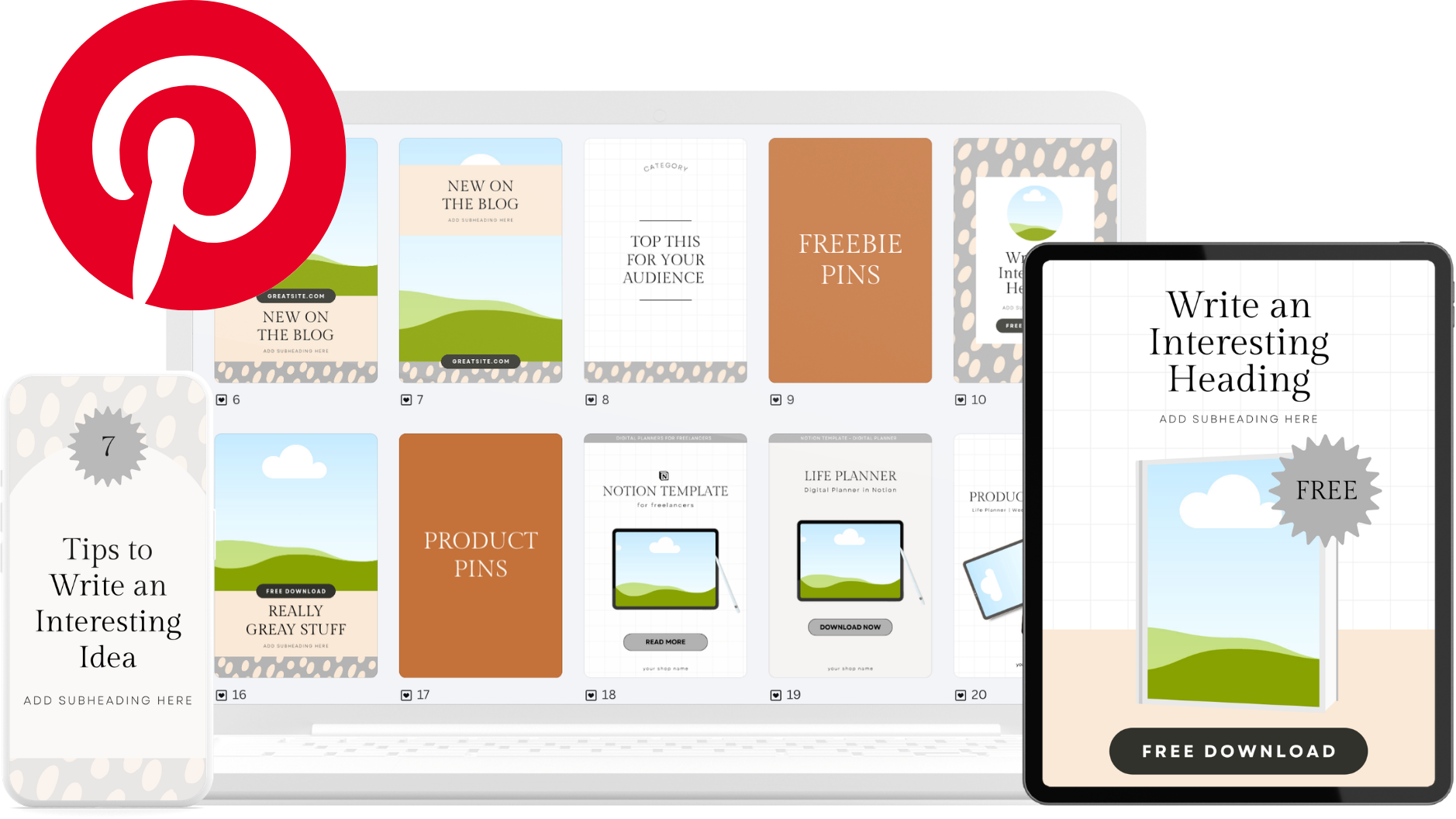
Get the 30 free pin templates
I built a Pin Vault in Canva with 30 pin templates you can customise in minutes — colours, text, your branding. It already includes all three pin buckets, so you're not guessing what to make.
Watch the full walkthrough
I show the whole sprint on screen — the keyword research, the Claude prompt, and a pin built start to finish.
How I Created 30 Pins in One Hour to Market my Digital Products

What I Make Myself, What AI Helps With
What's all me
My videos are 100% me — my own thoughts, my own voice, my systems and experiments.
Where Claude helps
When a blog post here is based on a video, I use Claude to shape the transcript into a post that is easy to read and scan.