
How to Sell Digital Products on Pinterest: 30 Pins in One Hour
You don't need followers to sell digital products on Pinterest.
Here's the 30-pin mix and the 5-step, one-hour sprint I use to schedule a whole month of traffic.
I work part-time. I know how heavy social media marketing feels when you're building a business in the hours you have left. So I stopped treating Pinterest like a social platform and started treating it like what it is: a visual search engine.
Here's the shift. Nobody has to follow you before they buy from you. According to Pinterest's own research, 96% of top searches on the platform are unbranded. Small brands compete on relevance, not fame. People search, they click, and they land somewhere — and that somewhere decides whether you make money.
Below is the exact system I use to create 30 pins in one hour. That's a full month of traffic in one sitting.
Why Pinterest, and not Instagram
Instagram works. It also asks for around 20 hours a week, three Reels a day, and your post is dead in 48 hours. TikTok works too, faceless even, but it runs on volume and daily lives.
Pinterest is the only place where you publish something today and it still brings you traffic six months from now.
I need to be honest with you though: Pinterest is not fast. It takes somewhere between three and nine months to build real momentum. If you plan to quit in two weeks, don't start. If you stay, everything you publish compounds. That makes it the cheapest asset you'll ever build for your business.
The funnel every pin should feed
Before you make a single pin, you need to know where it's going. The pin is just the front door.
The pin — the discovery step
A freebie, blog post, or landing page — with a signup form on it
Your email list — where you nurture
Your digital product — the sale
The mistake I see constantly is sending every pin straight to an Etsy listing. Someone clicks, sees your competition in the sidebar, gets distracted, and leaves. You lost them forever, because you never got their email.
Send that same person to a freebie and they join your list. Now you own the connection. You can email them next month whether Pinterest sends you traffic or not.
Pinterest brings you strangers. Your email list turns them into buyers.
This is exactly what I did when I started my Notion template business. I didn't want to show up on social media or tell my friends what I was building. I pinned, I offered a freebie, and that freebie sold my course inside my email list.
The 30-pin mix: 3 buckets
Thirty pins of the same product is not a strategy — and it can get your account flagged. Every one of my 30 pins falls into one of three buckets.
Bucket 1 — Freebie pins. These lead to something free that solves one small problem. Show the outcome in the graphic. "Plan your entire month in 20 minutes" beats "Free organizer planner template."
Bucket 2 — Paid product pins. These go to the thing you sell. Keep the freebie and the paid product close together — if the freebie is a budget template, the product is the upgraded finance system. Use before-and-afters, FAQs, pain-to-transformation, and your own story.
Bucket 3 — Education pins. How-tos, tutorials, mindset, beginner mistakes. Nothing to do with selling. This is your cold traffic, meeting you for the first time.
Some pins bring strangers. Some turn strangers into subscribers. Some turn subscribers into buyers. That's a sales funnel working 24/7 — not just 30 pretty images.
The 5-step, one-hour sprint
Set a timer on your phone. This is what stops a batch session becoming a four-hour Canva rabbit hole. If you go over on your first try, be kind with yourself.
Choose your destinations — 5 minutes. Pick the two URLs you're sending people to. A freebie, a blog post, a landing page. Write them down.
Keyword research — 10 minutes. The most important ten minutes of the sprint. In Pinterest, go to Analyse Performance → Pinterest Trends → Search Trends and type a seed keyword. Pinterest lets you compare four keywords at once and shows you related searches you'd never have guessed. Write your four down.
Write titles and descriptions — 10 minutes. I use Claude for this. I've trained it on my Pinterest account, so I give it my keywords, my audience, and my destination URL, and it writes the titles, descriptions, alt text, and on-screen text for me.
Design your pins — 25 minutes. Copy, paste, tweak the font, done. Not every pin needs to be perfect. You don't know which ones will perform, so treat all of them as tests.
Schedule for the month — 10 minutes. Spread them out. Don't dump 30 pins in one day — show Pinterest you're consistent. I use the native Pinterest scheduler and pay for nothing extra.
Three mistakes that will kill your reach
Repinning the same image over and over. Pinterest flags it. Create different variations for the same product instead, even when they point to the same URL.
Only pinning Etsy listings. Your account starts to look like a shop, and people come to Pinterest to be inspired, not sold to. Send them to a freebie or a blog post first.
Skipping demand research. This is a search-based machine. If nobody is searching, the pins can't save you. I check real Etsy data in Everbee before I commit to a product or a keyword, so I'm starting with numbers instead of guesses.
The golden nugget: video pins
My best-performing pin right now is not a static graphic. It's a video pin I downloaded from TikTok and reposted. Thousands of views, saves, and actual sales.
It isn't polished. It doesn't show my face. It's a short how-to showing one small Notion trick.
Out of your 30 pins, make four of them videos. If you already make short-form content, you have them sitting there already.
Your action plan
Pick your two destination URLs
Find four keywords in Pinterest Trends
Build reusable Canva pin templates
Batch your 30 pins and schedule the month
Thirty pins built on a system will always outearn 100 pins without one. You need one hour a month — and enough patience to stay consistent before the results show up. Pinterest rewards the people who don't quit at month one.
In the Freedom Creator Society, we take action, because action is what creates prosperity.
Get the 30 free pin templates
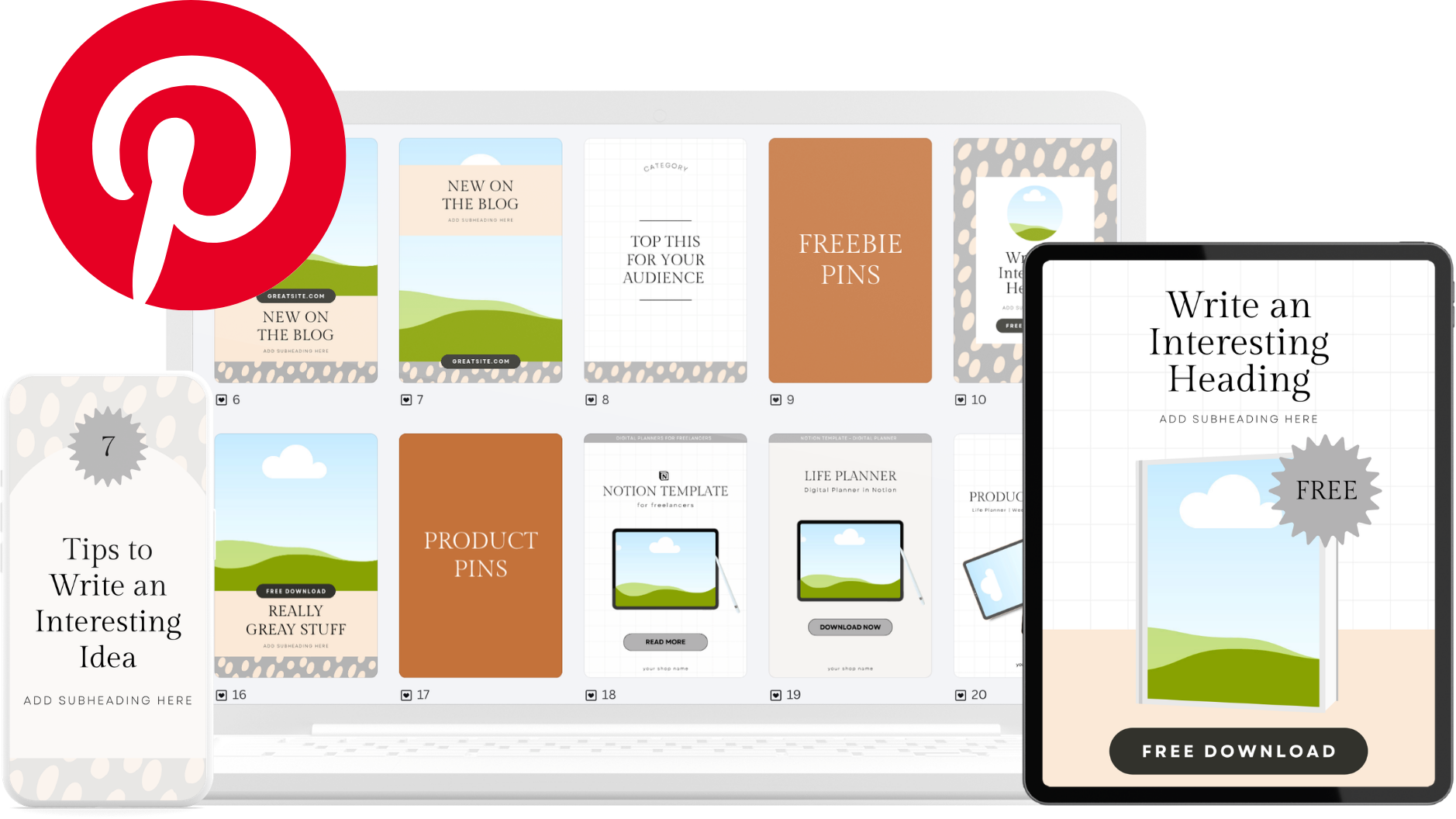
I built a Pin Vault in Canva with 30 pin templates you can customise in minutes — colours, text, your branding. It already includes all three pin buckets, so you're not guessing what to make.
Watch the full walkthrough
I show the whole sprint on screen — the keyword research, the Claude prompt, and a pin built start to finish.
How I Created 30 Pins in One Hour to Market my Digital Products

What I Make Myself, What AI Helps With
What's all me
My videos are 100% me — my own thoughts, my own voice, my systems and experiments.
Where Claude helps
When a blog post here is based on a video, I use Claude to shape the transcript into a post that is easy to read and scan.